Why Marketing Analytics Changed in 2026

For a long time, “analytics” mostly meant traffic dashboards: how many sessions, which pages, what your bounce rate was. That was enough when marketing was simpler.
Now a single customer might see a LinkedIn post, click a Google ad three weeks later, open a nurture email, attend a webinar, visit your pricing page twice, and then finally book a demo. A basic analytics tool will give the last click — the Google ad — all the credit. The content, the email, the webinar? They get nothing.
That is why the market is moving fast toward multi-touch attribution, predictive analytics, and AI-powered decision support. The tools winning attention in 2026 are not just reporting what happened; they are helping teams decide what to do with that information.
4 Shifts Defining Marketing Analytics Tools in 2026
AI Is Moving from Feature to Foundation
A couple of years ago, AI in analytics meant a sparkline with a trend label. Now it means anomaly detection, predictive lead scoring, natural-language querying, and scenario planning. The AI marketing analytics market is estimated to grow from $31 billion in 2025 to $40 billion in 2026, and teams using AI-optimized campaigns are seeing up to 30% higher ROI.
The practical upside: instead of spending three hours building a report, you ask a question and get an answer in seconds. The caveat — one worth keeping — is that AI tools surface patterns but do not replace judgment. A human still needs to decide whether the pattern means something and what to do about it.
GA4 Is Still Dominant, But Teams Are Outgrowing It
GA4 is free, tightly connected to Google Ads and Search Console, and works well for foundational traffic and conversion reporting. But in 2026, it is drawing real criticism for setup complexity — one report says 73% of GA4 implementations contain silent misconfigurations — and for its limitations around advanced attribution, cross-channel visibility, and data ownership.
That is why privacy-first and attribution-first alternatives are growing. Tools like Matomo, Plausible, Fathom, and Piwik PRO are the top answers when teams ask “what do I use instead of GA4?” for GDPR-sensitive or heavily regulated environments.
Last-Click Attribution Is Being Replaced
Last-click attribution is like crediting only the last restaurant you passed before deciding to eat out. The decision had been building for miles.
Multi-touch attribution (MTA) and incrementality testing give teams a much more accurate picture of how all their channels — paid, organic, email, events — work together to create a conversion. Platforms like SegmentStream, HockeyStack, Dreamdata, and Northbeam are getting traction in 2026 because they measure revenue impact, not just activity.
Automated Pipelines Are Replacing Spreadsheet Reports
80% of marketers in 2026 cite native CRM and ad-platform integrations as a top priority when evaluating tools. Manual data exports and spreadsheet stitching are not just inefficient — they are a source of errors that undermine confidence in results.
The practical move is a stack: one measurement tool, one reporting layer, and (for larger teams) a data pipeline in between.
Quick Comparison: 10 Best Marketing Analytics Tools 2026
| Tool | Best for | Core strength | Starting price |
|---|---|---|---|
| Google Analytics 4 | SMBs, web analytics baseline | Free, Google ecosystem integration | Free |
| HubSpot Marketing Hub | B2B, inbound, CRM-driven teams | Full-funnel + CRM in one platform | ~$800+/mo |
| Adobe Analytics | Large enterprises | Deep segmentation + predictive intelligence | Enterprise custom |
| SegmentStream | Full-funnel attribution | MTA, incrementality, budget optimization | Custom |
| Mixpanel | Product-led SaaS | User behavior + event journey analysis | Free tier + paid |
| Amplitude | Product analytics | Advanced lifecycle + feature analysis | Free tier + paid |
| Semrush | SEO + competitor intelligence | Search visibility + keyword tracking | ~$139+/mo |
| Funnel | Data aggregation teams | ETL, normalization, BI feed | Custom |
| Matomo | Privacy-first analytics | Cookieless tracking, data ownership | Free–$26+/mo |
| Supermetrics | Agencies, reporting automation | 800+ connectors, dashboard automation | ~$39+/mo |
Deep Dive: Best Digital Marketing Analytics Platforms
1. Google Analytics 4 (GA4) — Best Free Option for SMBs

Google Analytics 4 is still the most widely used analytics tool because the barrier to entry is zero and it does the fundamentals well. If your team is already running Google Ads, GA4’s native integration makes acquisition and conversion tracking relatively straightforward.
Key Features
- Event-based tracking for web and app behavior
- Funnel exploration and path analysis
- Native integration with Google Ads and Search Console
- UTM handling and consent-mode modeling
Pros
- Free with no usage caps at the standard level
- Solid for foundational acquisition and conversion reporting
- Strong fit for Google-centric ad stacks
Cons
- Complex to configure correctly — most setups have errors that go unnoticed
- Limited in attribution beyond last-click
- No data ownership — Google holds your data
Best For
SMBs and early-stage teams that need a free foundation and are comfortable adding other tools when attribution starts to matter.
💡 If your main problem is fragmented dashboards, GA4 alone will not solve it. Pair it with Looker Studio and at least one CRM connector.
2. HubSpot Marketing Hub — Best All-in-One for B2B
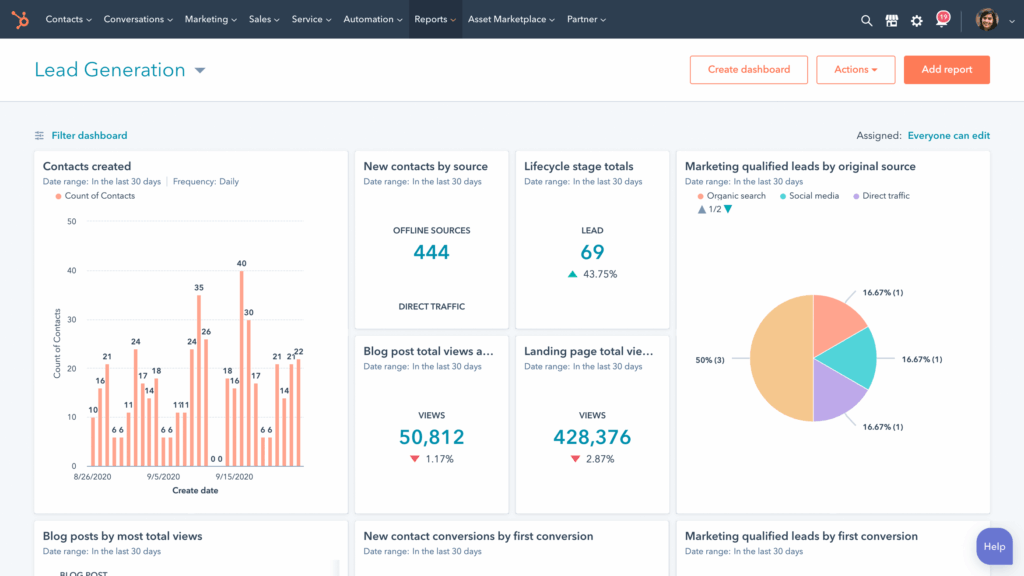
HubSpot is the clearest choice when you want marketing analytics and CRM to live in the same platform. Instead of exporting leads from your analytics tool and re-importing them into a CRM, HubSpot shows you the full journey: from first click to closed deal, in one view.
Key Features
- Native CRM — contacts, companies, deals, and lifecycle stages
- Campaign-level reporting across email, content, ads, and social
- Marketing automation and lead scoring
Pros
- Best-in-class pipeline visibility for B2B teams
- Easier to align marketing and sales around the same data
- Strong option for SaaS, professional services, and inbound-heavy teams
Cons
- Costs escalate quickly as your contact database and feature usage grow
- Less flexible if your strategy is not built around inbound or CRM workflows
Best For
B2B teams, SaaS companies, and agencies that want a single source of truth for marketing-to-revenue performance.
3. Adobe Analytics — Best for Enterprise Segmentation
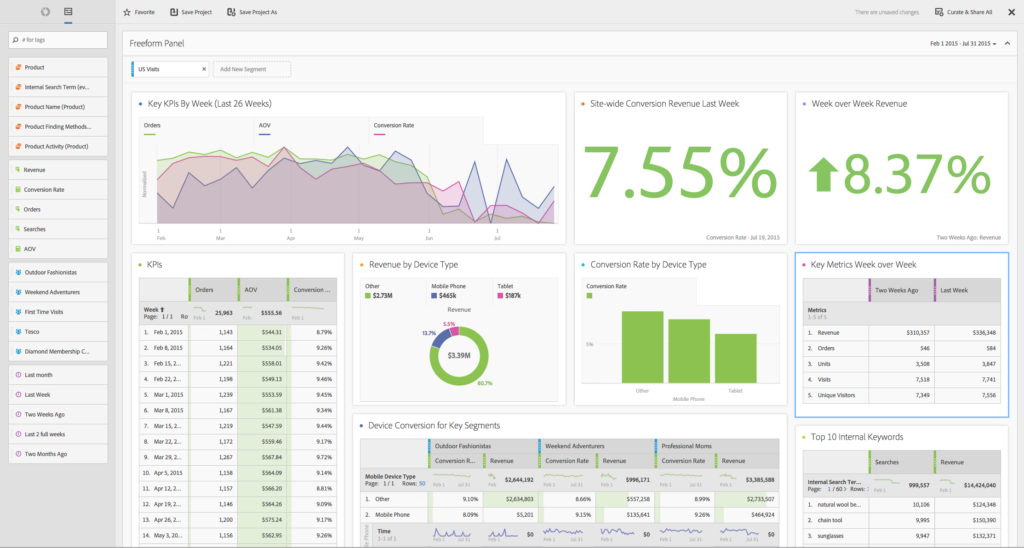
Adobe Analytics is the enterprise standard for a reason: it is genuinely powerful. But “powerful” comes with real tradeoffs in cost, complexity, and implementation time.
Key Features
- Advanced user-level event and behavioral analysis
- Highly customizable reporting with calculated metrics
- Strong cohort and segmentation analysis
- Tight Adobe Experience Cloud integration
Pros
- Built for scale — it handles enormous data volumes with sophistication
- Excellent for organizations with mature, dedicated analytics teams
- Powerful predictive and AI features within the Adobe ecosystem
Cons
- Licensing and implementation often runs $50,000–$150,000+ per year
- Requires specialist knowledge to unlock its full value
- Not appropriate for lean teams or quick-deployment needs
Best For
Large enterprises with complex digital properties, dedicated analysts, and existing Adobe stack investment.
💡 If you are an SMB considering Adobe: it is almost certainly overkill. Start with GA4 + HubSpot and revisit when your data needs exceed both.
4. SegmentStream — Best for Full-Funnel Attribution
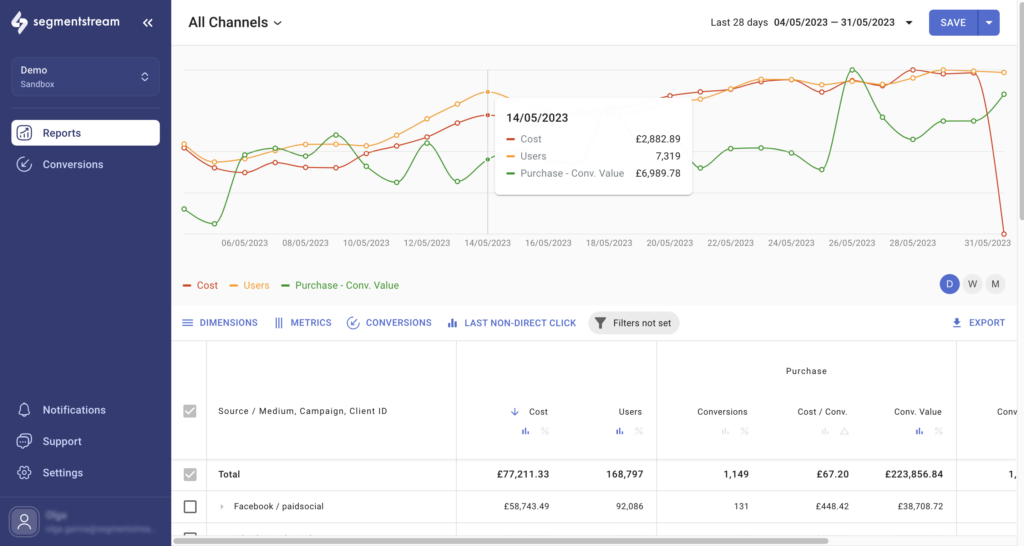
SegmentStream solves the attribution problem most marketing teams hit when they start running multi-channel campaigns: which channels actually drove revenue, and how much credit does each one deserve?
Key Features
- Multi-touch attribution across paid and organic channels
- Incrementality and causal measurement
- Predictive analytics and scenario planning for budget decisions
- Unified marketing and revenue data
Pros
- Revenue-first focus rather than surface-level traffic metrics
- Strong for budget forecasting and channel optimization
- Works for ecommerce, B2B, and enterprise use cases
Cons
- Custom pricing means evaluation takes longer
- Best suited to teams already running on multiple paid and owned channels — overkill for single-channel setups
Best For
Growth and performance teams that have outgrown last-click reporting and need attribution they can actually make budget decisions with.
5. Mixpanel — Best for Product-Led Growth
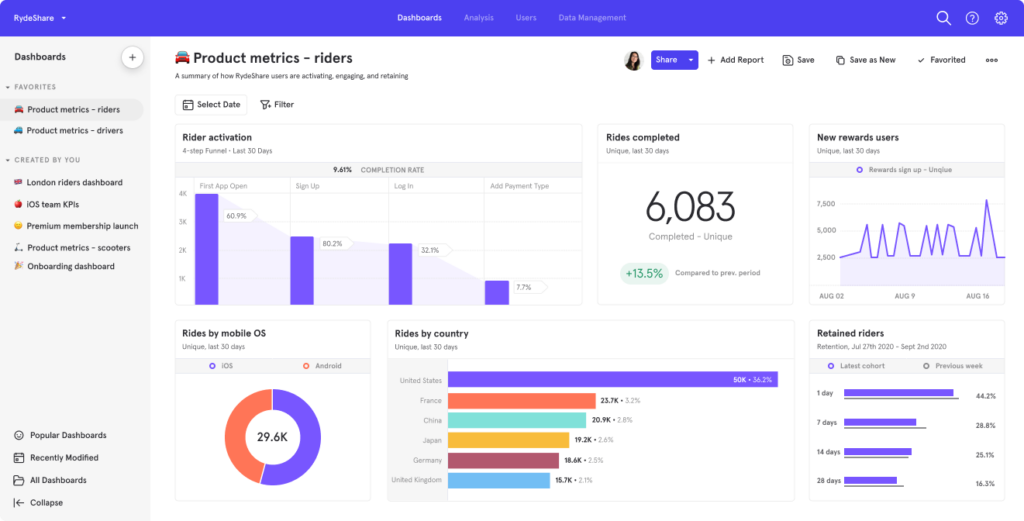
If your big question is not “which ad drove the lead?” but “why do users activate on Day 1 but churn by Day 30?” — Mixpanel is the better tool.
Key Features
- Event and user-based data model
- Advanced funnels, flows, and retention reports
- Path analysis and activation tracking
Pros
- Exceptional for visualizing how users move through your product
- Real-time analysis that traditional reporting tools cannot match
- Strong for A/B test analysis tied to user behavior
Cons
- Needs more manual implementation work than GA4 for standard marketing reporting
- Event volume pricing can become expensive as you scale
Best For
SaaS and product teams that need behavioral depth: activation, retention, feature adoption, and churn analysis.
6. Amplitude — Best for Behavioral and Lifecycle Analytics
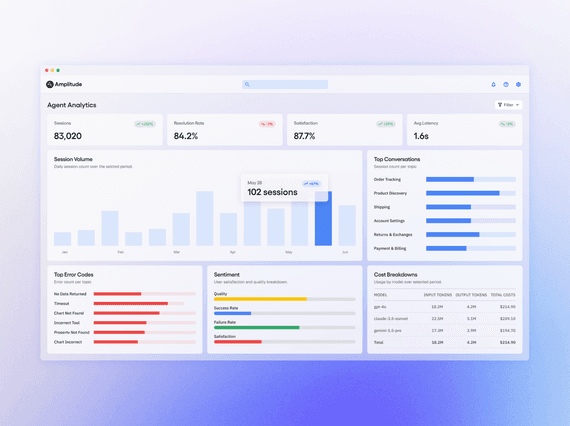
Amplitude and Mixpanel are frequently compared because they target similar use cases — and for most product teams, both are genuinely strong. Amplitude tends to lead on lifecycle and feature-adoption analysis.
Key Features
- Behavioral and lifecycle analysis
- Advanced journey and feature-adoption visibility
- Strong product analytics depth
Pros
- Excellent for understanding the product lifecycle from acquisition to expansion
- Strong alternative to GA4 when product depth matters more than marketing attribution
- Good real-time analysis across complex user journeys
Cons
- Less native marketing functionality than GA4
- Campaign analytics often needs manual implementation beyond out-of-the-box features
Best For
Product-led companies and teams focused on improving onboarding, adoption, and long-term retention.
7. Semrush — Best for Search and Competitive Intelligence
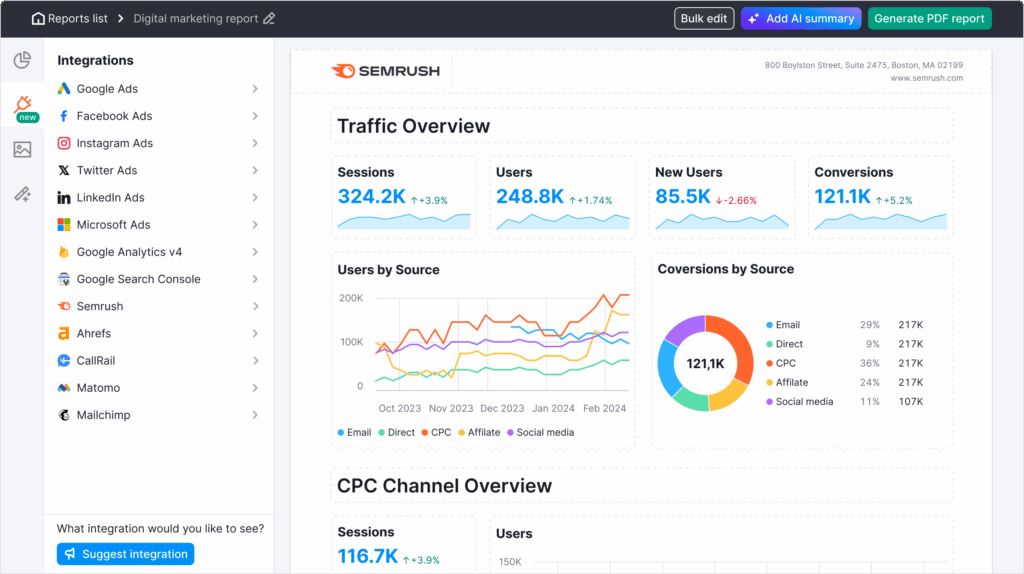
Semrush is not a full marketing measurement platform — and that is fine. For any team where organic search, content, or paid search is a major channel, it is close to essential.
Key Features
- Keyword research and tracking
- Technical site audits
- Competitor visibility and gap analysis
Pros
- The clearest way to benchmark your search visibility against competitors
- Excellent research tool for content strategy and SEO reporting
- Strong complement to whatever primary analytics platform you use
Cons
- Not designed to replace your main attribution or campaign analytics tool
- Higher-tier plans can become expensive for smaller teams
Best For
SEO teams, content marketers, and agencies that need search visibility data and competitive context built into their workflow.
8. Funnel — Best for Data Aggregation
Think of Funnel less as an analytics tool and more as the plumbing that makes analytics work. It collects data from all your marketing platforms, normalizes it into a consistent format, and routes it into whichever BI tool or dashboard you use.
Key Features
- ETL and data aggregation from 500+ connectors
- Data normalization and standardization
- Export to Looker Studio, Tableau, Snowflake, and more
- Measurement templates through Funnel Measure
Pros
- The fastest way to stop manually downloading spreadsheets from ad platforms
- Reduces data prep time dramatically for analytics teams
- Works well alongside pure measurement and BI tools
Cons
- Not a standalone analytics solution — insights depend on what you build downstream
- Pricing is custom and typically designed for teams spending on data infrastructure
Best For
Data-driven teams that need clean, unified marketing data before they can do any reliable modeling or reporting.
9. Matomo — Best Privacy-First GA4 Alternative
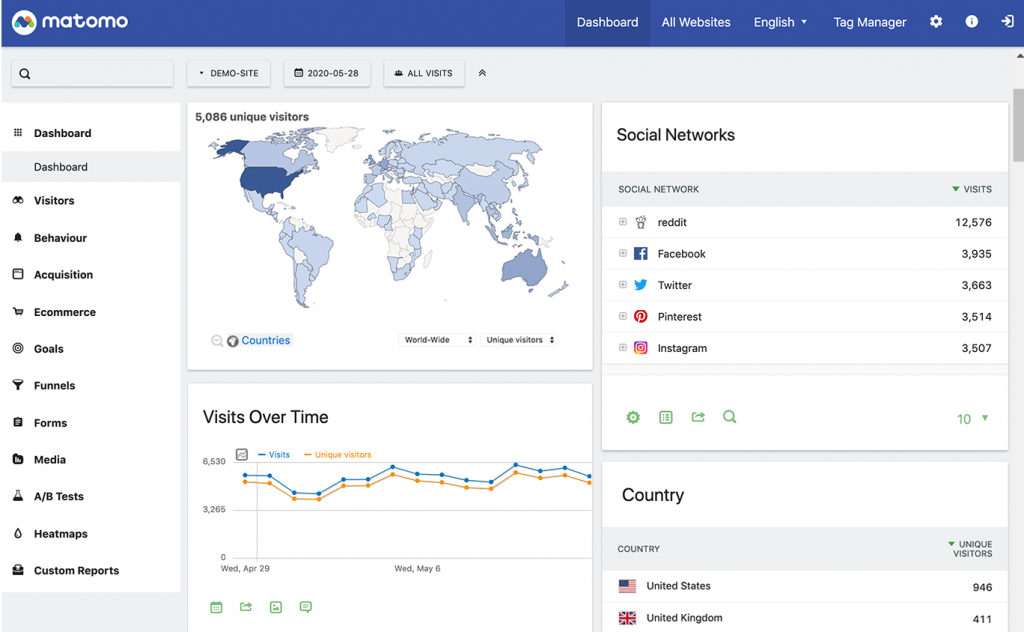
Matomo makes a straightforward case: you should own your data, not Google. It offers most of what GA4 does for web analytics — sessions, events, conversions, funnels — but with full data ownership, no Google data sharing, and cookieless tracking options.
Key Features
- GDPR-compliant analytics
- Self-hosted and cloud versions available
- Cookieless tracking and consent mode options
- Import and migration support from GA
Pros
- Strong data ownership story for privacy-sensitive industries
- Useful where cookie consent causes tracking gaps
- EU-based hosting options for stricter compliance requirements
Cons
- Self-hosting takes more setup time than simpler SMB tools
- Less of a plug-and-play experience than lightweight alternatives like Plausible
Best For
Organizations in regulated industries, international markets, or any team that is tired of sending website data to a third party they cannot fully control.
10. Supermetrics — Best for Agency Reporting
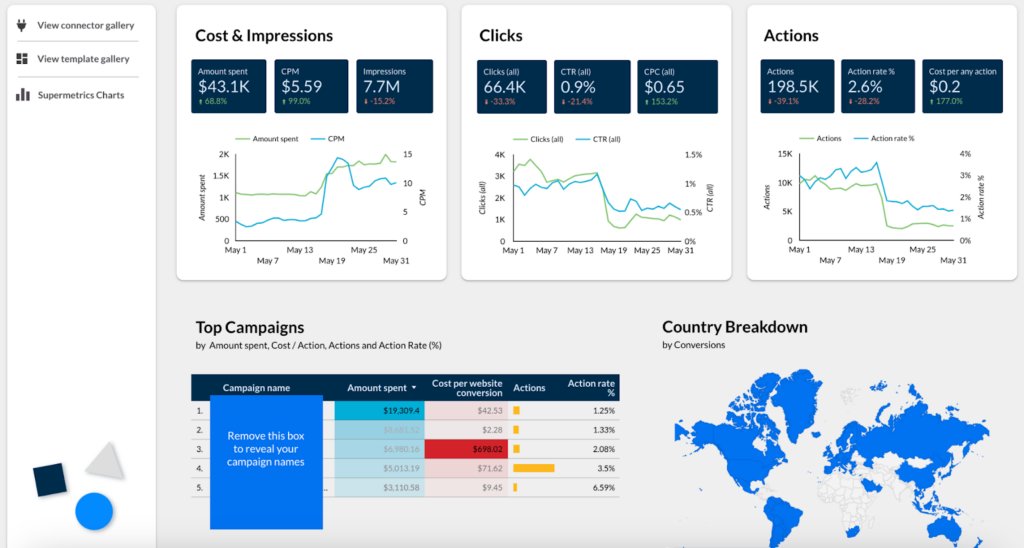
Supermetrics solves a very specific and common pain point: getting data from your ad platforms, GA4, and social channels into a Google Sheet, Looker Studio dashboard, or Excel report automatically, without manual exports.
Key Features
- Data extraction from 800+ marketing platforms
- Automated daily, weekly, or monthly report refreshes
- Spreadsheet and BI destination connectors
Pros
- Extremely easy for non-technical teams
- Ideal for agencies managing multiple client dashboards
- Strong time-saver for any team doing manual reporting today
Cons
- Not a measurement or attribution tool — it automates reporting, not analysis
- The quality of insight depends entirely on what you build in the downstream report
Best For
Agencies, in-house media teams, and anyone who needs automated reporting without building a custom data pipeline.
Free vs. Paid Marketing Analytics Software: When Should You Upgrade?
Here is a simple decision framework:
- Start with free if: You are in early stage, your marketing is on one or two channels, and you need traffic and conversion data.
- Upgrade to paid when: You need attribution across multiple channels, you have CRM data you want to connect, or your reporting is taking more time than your optimization.
2026 research suggests paid analytics tools can deliver 2–3x more accurate attribution and enable 20–40% better budget allocation decisions. Companies with mature analytics implementations report 23% higher marketing ROI.
The cost of a good analytics tool is almost always less than the cost of misallocating ad spend for six months because your attribution was broken.
How to Choose the Right Marketing Analytics Tool
If You Are B2B or SaaS
Your primary question should be: can this tool connect my marketing activity to pipeline and revenue? If the answer is no, keep looking. HubSpot, Dreamdata, and HockeyStack are the most common answers.
If You Are Ecommerce
Prioritize channel attribution and ROAS clarity. SegmentStream, Northbeam, Fospha, and Triple Whale are designed for multi-channel revenue attribution in ways that GA4 simply is not.
If You Are an Agency
You need speed, multi-client reporting, and connector breadth. Supermetrics, Funnel, and Looker Studio-based workflows are the most common answers for reporting efficiency.
If You Are an SMB
Start with what is free. GA4 plus Looker Studio plus a basic CRM covers most SMB needs before you need to upgrade to anything more complex.
Before you make any final decision, ask your team these four questions:
- Do we need reporting, attribution, or both?
- Do we need CRM and offline data integrated?
- Is privacy compliance a core requirement?
- Will our team actually use the advanced features, or will we pay for things that collect dust?
Real-World Use Cases
B2B SaaS: Connecting Marketing to Pipeline
A B2B SaaS company running content, paid search, and webinar campaigns needs to know which programs are actually sourcing pipeline — not just clicks. GA4 cannot do this alone. HubSpot, Dreamdata, or HockeyStack connect those campaign touchpoints to deal stages and revenue, giving marketing teams a number they can take to their CEO.
Product-Led SaaS: Understanding Activation and Churn
If your growth model is built around getting users to experience the product’s value as quickly as possible, you need behavioral analytics, not just traffic analytics. Mixpanel and Amplitude are the right tools for tracking activation, feature adoption, and what separates retained users from churned ones.
Ecommerce: Accurate Attribution Across Channels
An ecommerce brand running paid social, Google Shopping, email, and influencer campaigns needs to understand how those channels work together to produce a sale — especially when the average path to purchase spans five or more touchpoints. SegmentStream, Northbeam, and Fospha are built specifically for this kind of revenue attribution.
The Future of Marketing Analytics
The best marketing analytics tools are increasingly looking less like reporting software and more like decision engines. They do not just show you what happened — they surface what that means and what to do next.
In the near term, that means more predictive and causal measurement built into mid-market tools, more AI-assisted querying so non-technical users can get answers without writing SQL, and growing pressure on privacy-compliant data collection as regulations expand.
The winners will be tools that shorten the distance between data and decision. That is already the main buying criterion for 2026 — and it is only becoming more important.
Frequently Asked Questions
Which marketing analytics tool is best for my business?
It depends on your business model more than anything else. B2B and SaaS teams usually benefit most from HubSpot or attribution-first tools like HockeyStack. Ecommerce teams should prioritize SegmentStream, Northbeam, or Fospha. SMBs can start with GA4 and Looker Studio, often at no cost.
Are AI marketing analytics tools really worth it?
Yes — when they help you act faster and allocate budget more accurately. 2026 data points to 30% higher ROI in AI-optimized campaigns and strong growth in market demand for predictive analytics. But AI tools still need clean underlying data and human judgment to produce real results.
How hard is it to implement a new analytics platform?
It varies. GA4 can be set up quickly but often needs an analyst to configure it correctly. HubSpot is relatively straightforward if you are already managing contacts in a CRM. Attribution-first platforms like SegmentStream and Dreamdata typically require a more thorough onboarding process because they need to ingest multiple data sources before they can produce accurate results.
What are the best GA4 alternatives in 2026?
The most common answers in 2026 are Matomo, Plausible, and Piwik PRO for privacy-first teams, Mixpanel and Amplitude for product analytics, and SegmentStream or HockeyStack when the main need is attribution and revenue tracking rather than basic web metrics.
Is paid analytics software worth the cost?
Usually, yes — once you are spending meaningful ad budget. 2026 sources suggest paid tools deliver 2–3x better attribution accuracy, which directly reduces waste in media buying. The math is simple: if better attribution helps you reallocate even 10% of your ad budget more effectively, most analytics tools pay for themselves quickly.
How long before I see results from a new analytics platform?
Reporting improvements are usually visible within days of a proper setup. Attribution improvements take longer because the platform needs enough conversion data to model patterns accurately. Most teams see meaningful improvements in decision-making within 30–90 days of a proper implementation.
Get Started
The best marketing analytics tool is not the most powerful one. It is the one your team will actually use to make better decisions.
If you are drowning in dashboards but still cannot tell your CFO which channels are driving revenue, the answer is not more data. It is better measurement. The tools in this list each solve a different version of that problem — the key is matching the tool to the actual gap.
Download the 2026 Analytics Stack Checklist
Compare tools across attribution, privacy, integrations, and reporting in one sheet. Takes 5 minutes.
No credit card. No sales call required.
Book a Free Analytics Audit
We review your current stack and tell you exactly where the gaps are.
30 minutes. Practical output. No pressure.
Which tool are you currently using, and what is not working? Drop it in the comments — we are happy to point you in the right direction.